Stardew Valley: reserve bundle items before selling
A first seasonal item can be worth more to a collection goal than an immediate sale. Build a small bundle-reserve system based on the requirements in your own save. Check item, quantity and quality separately so the storage decision matches the actual objective.
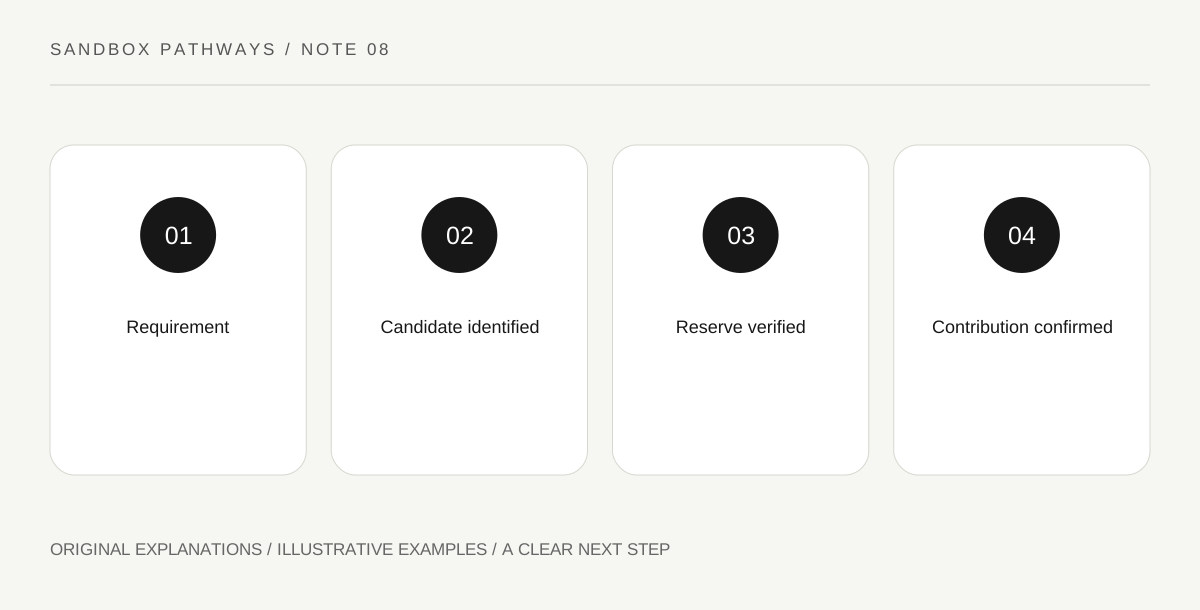
Original explanatory diagram. Read the full method and limitations below.
Read your save’s requirement
The Community Center bundle system asks for specified contributions, and the wiki distinguishes standard and remixed bundle contexts. Start with what your current save shows instead of copying a complete checklist without checking its mode. Choose one accessible bundle rather than trying to memorize the whole building. Write each required item with its quantity and any quality condition. These are separate fields: having the right item name may not satisfy the requested amount or grade. A clear transcription makes the next collection decision easier and prevents a familiar-looking icon from standing in for the exact requirement.
Create a small reserve destination
Set aside a labelled container or a clearly separated part of your storage for confirmed bundle candidates. The organizational goal is preventing routine selling or processing from consuming the only item you meant to retain. Do not fill the reserve with every unfamiliar object. Link each stored candidate to a specific requirement you have actually checked. This keeps the system useful rather than turning it into an unexplained hoard. If a candidate has other important uses, make that conflict explicit. A reserve label should explain why the item is there and what must happen before it can be released.
Verify quality and quantity at the handoff
Before travelling to contribute, compare the inventory stack with the requirement again. A different quality or insufficient quantity can change whether the planned action is complete. Also distinguish possessing a candidate from having donated it. Mark completion only after the game confirms the contribution. Your notebook can use three statuses: identified, reserved and contributed. These avoid the ambiguous checkbox that means both I saw this once and I finished the objective. If only part of a plan is complete, record that limited progress instead of treating the whole bundle as finished.
Let seasonality guide attention
Some candidates are connected to seasonal availability, so an approaching season change can make one collection task more time-sensitive than another. Use the actual requirements and acquisition context rather than assuming every missing item must be rushed today. Pick one achievable next contribution and identify the action it requires. A good plan may be saving the first suitable harvest, not expanding every production system. After a contribution, inspect the updated objective before returning to automatic gathering. This closes the loop between collection, storage and progress, making it less likely that your farm keeps producing something only because it appeared on an old unchecked list.
Illustrative farm scenario
In an illustrative save, your displayed bundle needs a specified crop at a specified quality and amount. You collect one candidate and place it in the reserve, but leave the status reserved. Before contribution, compare the actual stack with the requirement. Change the status to contributed only after the game accepts it. The system prevents possession from being mistaken for completed progress.
Practical checks
Optional checkboxes save only in this browser.
Questions that come up
Should I keep every unfamiliar item forever?
No. Connect a reserve decision to a checked objective or another identified use. Unexplained storage makes future decisions harder.
Is a standard bundle list always my save’s list?
Not necessarily. The reference distinguishes remixed bundles. Check the actual configuration and displayed requirements.
References and scope
These sources support the factual background. Examples and exercises are original illustrative teaching material. References do not imply endorsement.
- Stardew Valley Wiki: bundles — Community Center item requirements and bundle progression.